What we built
because no one was
building them for us.
A world builder anyone can drive from a phone. A way to see finished work land on any surface before you rent the room. A street that holds its own voices. And underneath it, an engine that writes what a venue actually books. Two of these are open to anyone. The other four we open with you — twenty minutes, your room, your material.
If you're curious but not technical — the live demos run in your browser. No install. The deeper docs are for when you're ready to build your own.
Seven of them.
One practice.
These are the seven we made for ourselves, opened up. Two you can open right now — no install, no account. Four we open with you, because handing over a blank screen and walking away is how good projects die. The seventh is the engine underneath.
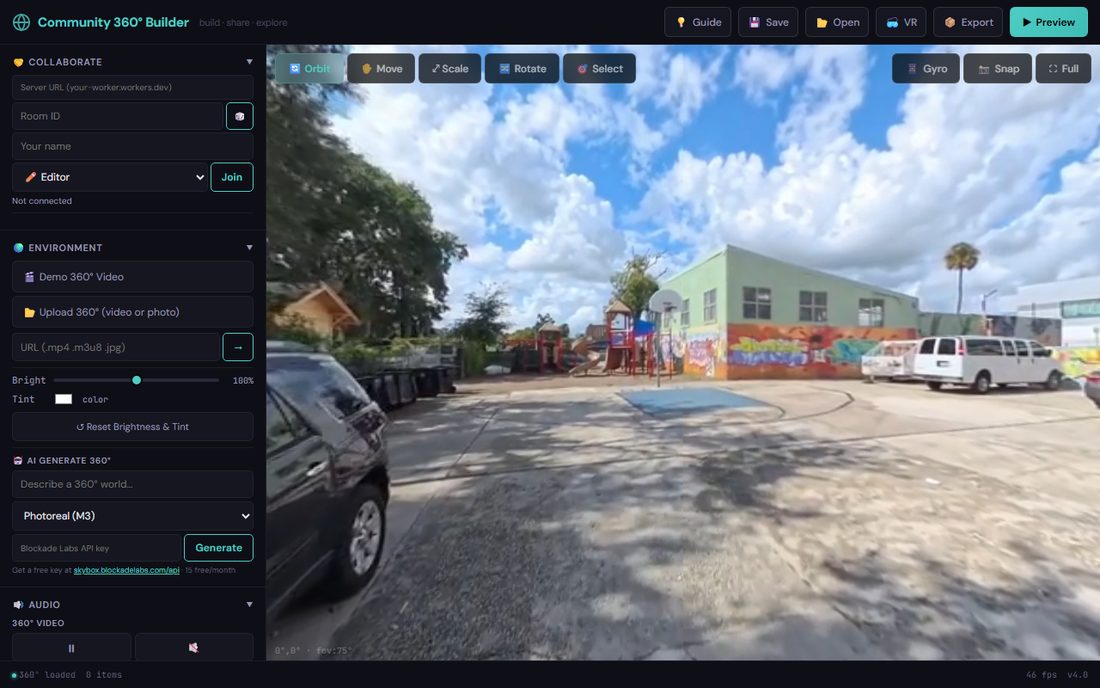
Community 360° Builder
Build a world together, in real time, from a phone. Start from one we already made — Clarksdale, Parramore, Puebla — then drop in voices, video and threads between them. Export the whole thing as one HTML file that works offline and in a headset.
We open this one with you →Squinch
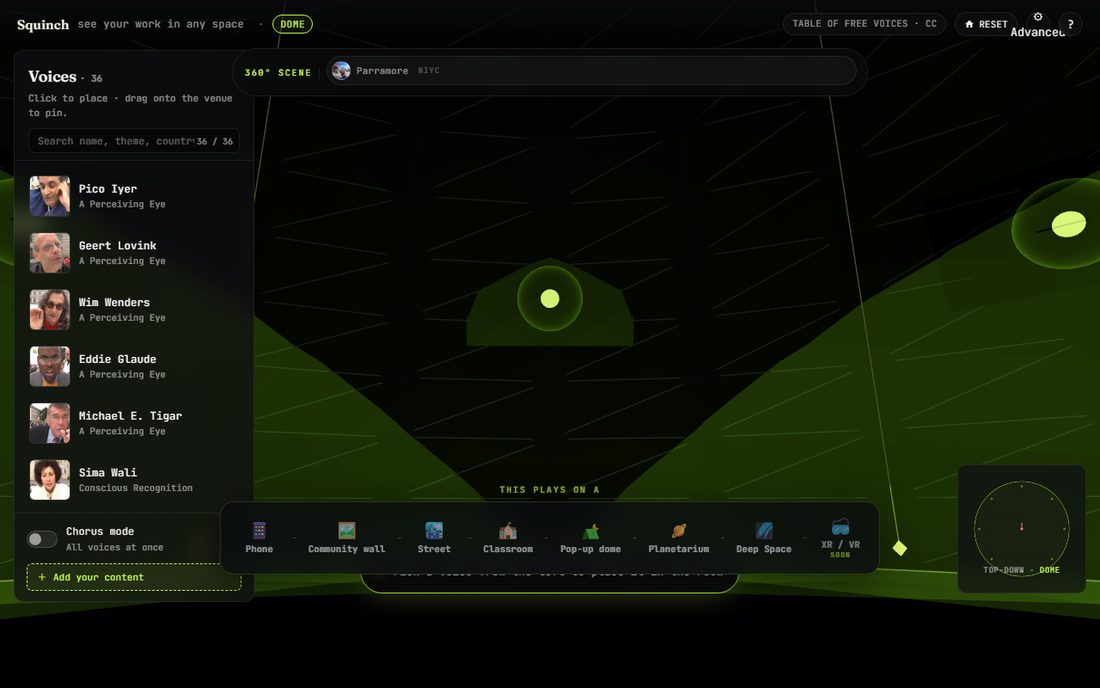
See finished work on any surface before you can afford the surface. Move one piece along the continuum — phone, wall, classroom, dome, planetarium — and watch it re-land on each. A squinch is the architecture that bridges a square room up into a dome; that’s the job.
We open this one with you →The Invisible Choir
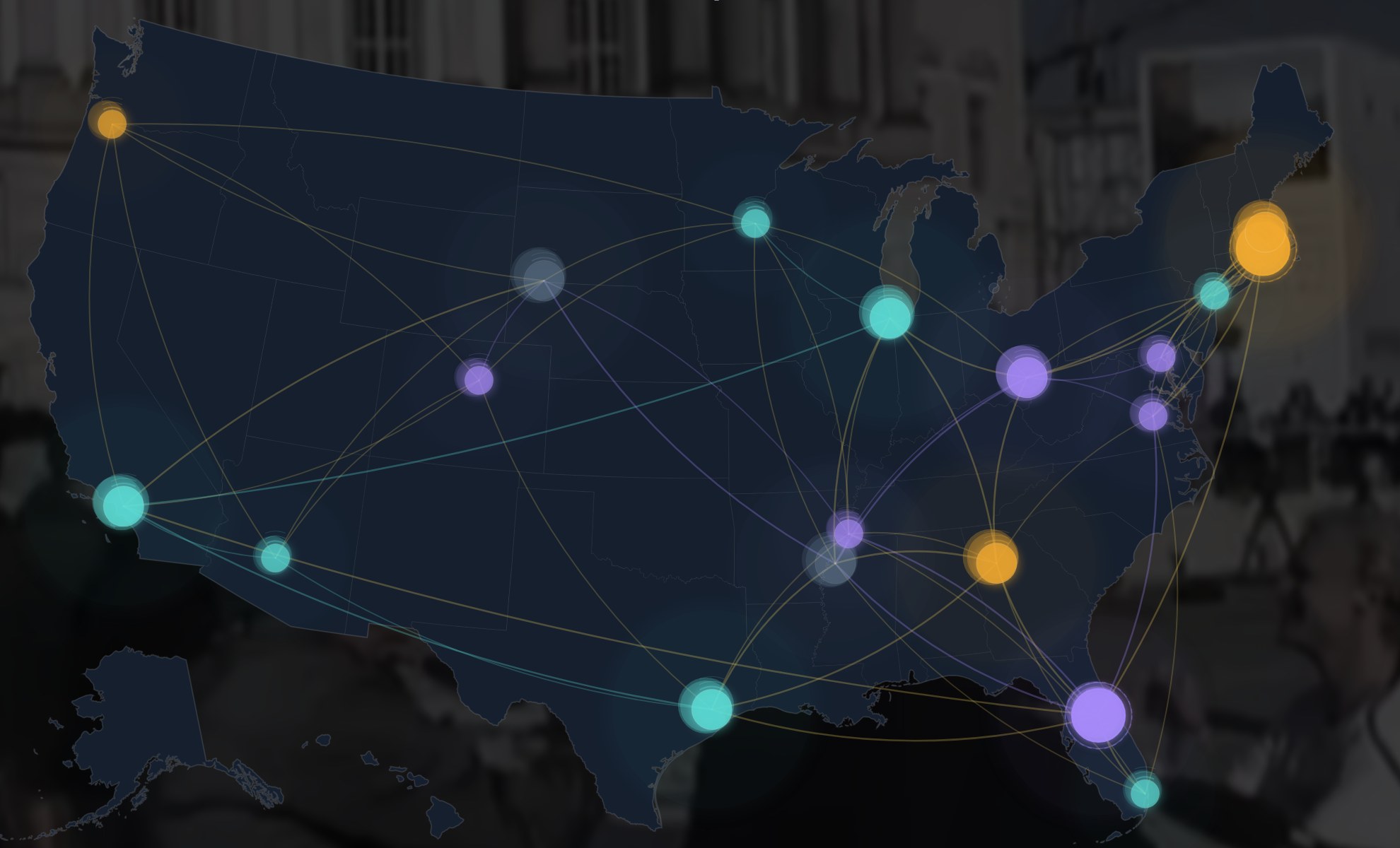
Turn a street into a listening room. Voices rise where they belong and fade as you walk past, keyed to real GPS along real roads. A community lays its own recordings down its own block, then hands out a link.
Asili
A community’s own words, read back through lenses the community chooses. A lens, not a verdict — and every line it surfaces travels back to the exact second someone said it.
We open this one with you →Collective Memory · the XR layer
The same four communities, native in a headset — controllers, gaze, spatial audio from whoever’s speaking, and threads you can follow between them. Runs on a laptop too.
GLYPH.LAB Studio
A word becomes living 3D type — six systems that coil, drift, ignite, bloom, storm and shoal. Open a room and a group shapes the same scene at once. That’s what makes it a workshop tool and not a toy.
We open this one with you →The venue engine
The library everything above stands on. One call turns a finished piece into what a venue actually books — fulldome master, MPCDI tiles, object audio, planetarium scripts, and a consent manifest for every voice inside. 425 tests green. Apache 2.0 when it ships.
Build the room
together.
Several people shaping the same 360° space at once. Sketch on a phone in the field, refine on a laptop, then preview it in a dome or on a wall without leaving the browser.
One call in.
Everything a venue books, out.
A planetarium asks for a fulldome master. A museum asks for MPCDI tiles and object audio. A school asks for something that opens on a Chromebook. Same piece, normally four vendors. This is the part we built so it’s one command.
# a 360° capture goes in
>>> preset = load_preset("planetarium_26m_4k")
>>> ship_to_venue("mercado.mp4", preset, out="./build/")

[ship] analysing mercado.mp4 ... 360° equirect detected
[ship] anchoring to dome surface ... MPCDI v2 written
[ship] rendering IMERSA fulldome master ... 4K · 30fps
[ship] composing ambisonic FOA from spatial cues ...
[ship] writing ADM BW64 ... 6 sources, dome ring layout
[ship] writing Digistar script ... done
[ship] ship complete · 7 files in ./build/
- fulldome_master.mp44K fisheye · the format planetariums book
- tiles/*.mpcdiper-projector, edge-blended, warp-corrected
- audio.bw64ADM objects · each voice keeps its position
- show.dsDigistar script · SkySkan on request
- preview.htmlone file · survives a school Chromebook
- scene.gltfeditable venue rig for any 3D toolchain
- consent.jsonevery voice, who agreed to what, and when
425 tests green. Apache 2.0 the day it ships. It isn’t on PyPI yet — we’re still settling the name, and we’d rather ship it once than rename it twice.
Want it early? Say so →Open any door — the rest stays out of the way.
For developers · ComfyUI node pack
20+ nodes for AI media folks.
Already living in ComfyUI? Drop the node pack in. Route generated content straight through the engine. Ship straight to a venue. No round-trip through other tools.
For developers · Python API
Twelve verbs. The surface area.
analyze_for_surface()
Detect 360° vs flat, audio spatial cues, color space, anchor candidates. Returns a content fingerprint the rest of the pipeline uses everywhere downstream.
detect_anchor()
Find the surface the content should anchor to — horizon line, focal subject, anchor object. Used by SurfaceRender to keep things from drifting on a curved surface.
load_preset()
Grab one of 20+ built-in venue presets — dome_720, urban_block_large, civic_convening_space_composite, planetarium_26m_4k, nightclub_standard, and more.
ship_to_venue()
The headline call. Source + preset → full venue-ready package. Calls analyze, anchor, render, audio compose, write the venue scripts. One line for the common path.
ship_tiered()
Three-tier delivery — preview, mid, full. For pipelines where the venue wants a low-latency preview while the full IMERSA master renders in the background.
preview_from_source()
Render a WebXR-ready HTML preview. What the live demo runs on. Drop into a browser; works on a Chromebook or a Quest.
encode_foa_source()
Convert per-source positional audio into First-Order Ambisonic (AmbiX or FuMa). Generic playback for any speaker rig.
compose_ambisonic_from_panels()
Build a full ambisonic mix from panel-positioned sources. How a venue-agnostic master gets derived from the content's own spatial layout.
write_adm_bw64()
Write the production-grade object-based audio file. Atmos-grade pipeline, compatible with any venue engine that reads ADM BW64.
pan_audio_to_content_position()
Tie an audio source to the on-content position of its visual subject. The audio follows the speaker on the dome ceiling, automatically.
write_mpcdi()
Generate VESA MPCDI v2 calibration files. Per-projector geometry + color, anchor markers, edge-blend curves. Standard format any pro AV team can ingest.
write_blender_rig()
Drop the venue + content into a Blender scene. Camera rig, projection geometry, audio source positions. For the 3D pipeline already living in Blender.
Deep dive · formats written
Every format a venue actually wants.
IMERSA fulldome master
4K / 8K fisheye renders, dome-ring lighting cues, audience seating mask. The format planetariums actually book.
MPCDI v2 tiles
VESA-standard per-projector tiles with edge-blend, geometry warp, and color calibration. Reads in any pro AV pipeline.
glTF + Blender rig
Venue scene + content layout as an editable 3D file. Drops into any 3D toolchain. Includes camera, projection geometry, audio sources.
WebXR HTML
Single-file preview that runs in any browser or headset. What the embedded engine writes. Survives a school Chromebook.
Digistar show script
Native script for Evans & Sutherland Digistar planetariums.
SkySkan DigitalSky
SkySkan production format. Spitz / Zeiss equivalents in the same family.
Consent + citation manifest
Every voice, every recording, every contributor — Creator, ConsentRecord, RecordingContext, Citation, ToolingRecord, governance_review fields. Auditable.
Deep dive · spatial sound
Audio that knows where it is.
Production is object-based and per-speaker, per-venue. HRTF binaural is a preview-only output — useful on headphones, but never a substitute for real spatial delivery. Grammy-grade engineers will find the formats they already work in.
ADM BW64
Object-based production audio. The standard from ITU-R BS.2076. Atmos-grade. Drives any venue’s speaker rig.
Ambisonic AmbiX / FuMa
First-order ambisonic master for generic playback. The room-master tier between preview and full object-based.
Per-speaker, per-venue renders
Compile the object-based master down to each venue’s specific speaker rig. One source of truth; many rigs.
HRTF binaural
Useful when you’re on headphones. Never used as a substitute for real object-based delivery.
Room-aware mix
Account for the speakers, geometry, and acoustic profile of the venue before the mix ships. It takes the venue preset and bakes the appropriate mix.
Audio follows the voice
A speaker on the dome ceiling stays tied to their on-content position automatically — the audio moves with the story.
Built once. Lands anywhere.
The market in Puebla plays on a phone on a bus, on a community-centre wall, and on a planetarium ceiling — from the same file, with the sound placed where the person actually stood.
See all seven ↗